Automation: Condition Message
Last update:
Condition Message of the Auto Message function enable the possibility to send multiple version of Message Templates, according to Customer Segmentation via Label Management.
Reminder: Please note that Auto Message is a form of business-initiated message, hence message fee applies.
Setup Requirements
Approved Message Templates in different versions, in this case different languages.

Labels created for customer segmentation -
"English" for English preference.
"Chinese (HK)" for Traditional Chinese.
"Chinese (CN)" for Simplified Chinese.
Other examples:
"Regular Member", "Silver Member", "Gold Member".
"Pay as you go plan", "Essential Plan", "Pro Plan", "Custom Plan".
Step-by-step Guide
Please refer to previous entry on Auto Message for complete walkthrough of how to setup Auto WhatsApp Message. In this entry, we will cover the details of Condition Message, with the example of sending birthday wishes according to customers' language preference.
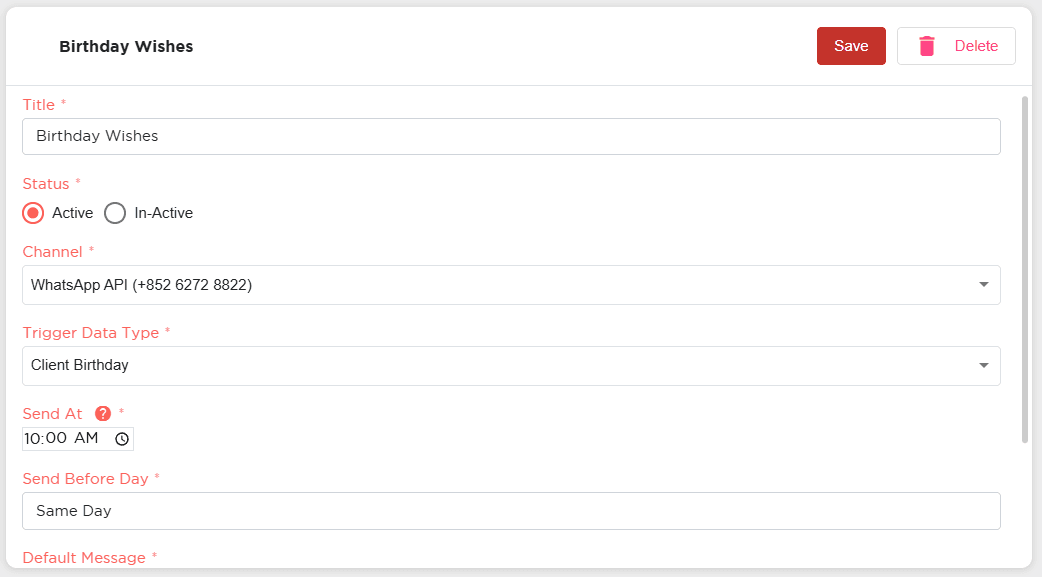
Automate Birthday Wishes in Accordance to Customers' Language Preference
Go to any Auto Message and scroll down to find "Condition Message".
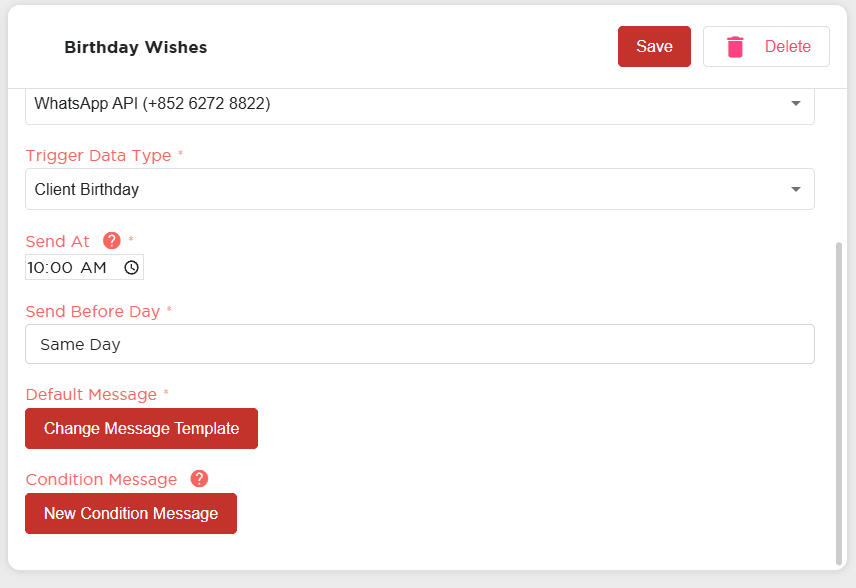
Click on "New Condition Message".

"Select Message Template" window pops up, choose a Message Template to send.

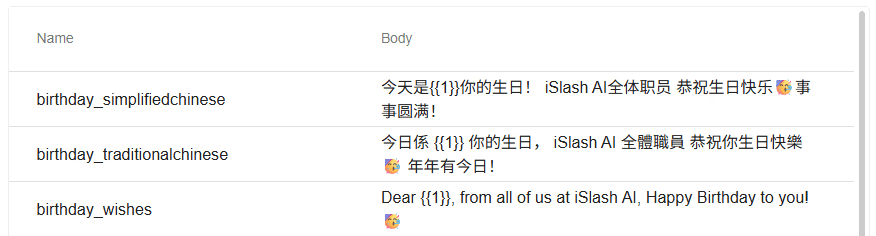
"birthday_traditionalchinese" Template is selected; proceed to set Variable(s), then click "Select".

"LabelCondition 1" will be created; click on the drop down list, proceed to tick label(s) to set condition.

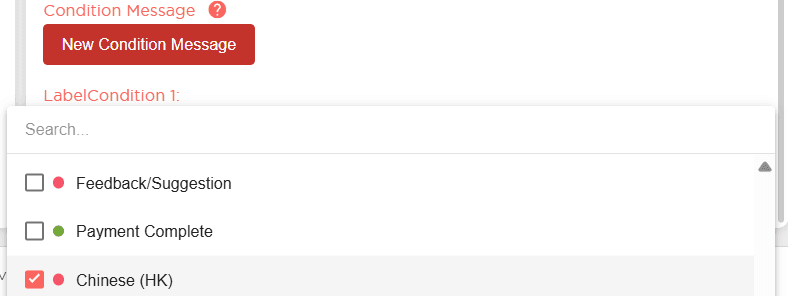
Label Condition 1 is set: when the customer has the label "Chinese (HK)", an alternative Message Template will be sent.
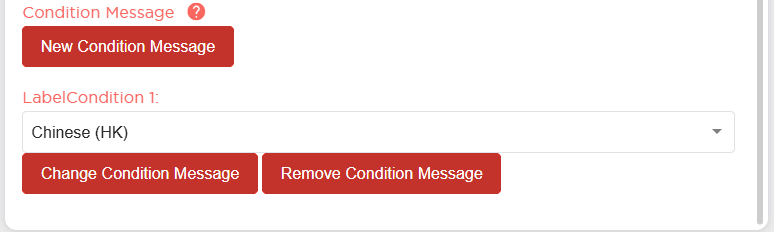
You can create more than 1 Condition Message for each Automation.
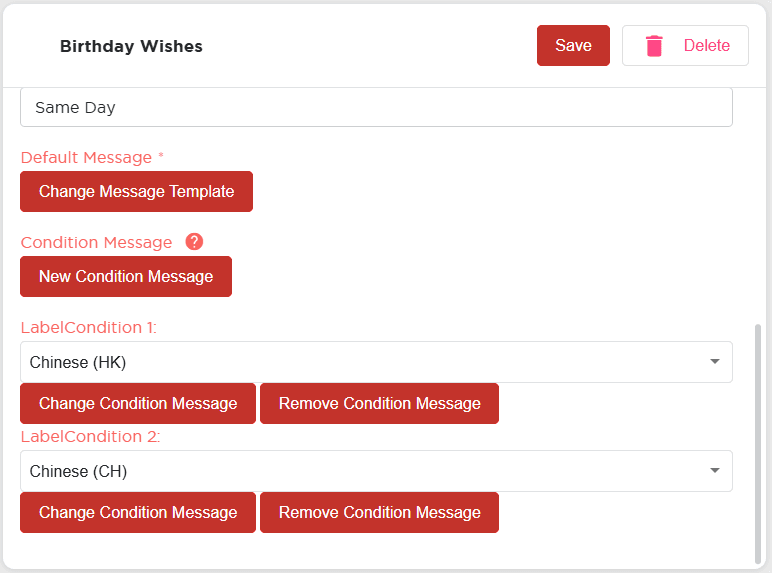
Once completed, click "Save".
Auto Messages will be scheduled at 1am, based on customer data at the time and the Auto Message settings.
Through this Birthday Wishes Auto Message setting, all customers with Birthday data will receive WhatsApp Birthday Wishes message:
No label - Receive Default Message "birthday_wishes".
With "Chinese (HK)" label - Receive "birthday_traditionalchinese" Message Template
With "Chinese (CH)" label - Receive "birthday_simplifiedchinese" Message Template
Other Automations available on iSlash AI platform
Auto labelling based on events, General Auto Reply, Chat Assignment, Chat Ticket Management and more.
Insights


