In-App Calendars: Online Booking Reminder
Last update:
iSlash AI’s In-App Calendar helps businesses manage appointments, availability, and customer bookings efficiently, directly connected to WhatsApp and other messaging channels.
For user guide to setup In-App Calendar, please visit this link.
Setup Conditions
An existing In-App Calendar.
For user guide to setup In-App Calendar, please visit this link.An approved Utility message as the appointment reminder message:
for example -預約提醒 Appointment Reminder
Hi {{1}}, this is a friendly reminder of your appointment with us.
提醒您已預約
📅⏰ {{2}}
If you need to reschedule or have any questions, please let us know in advance.
如需改期或有任何查詢,歡迎提前與我們聯絡。
期待到時見到您 😊
Step-by-step Guide
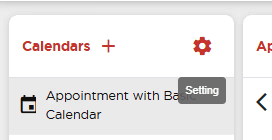
Start by clicking on the Setting button in Calendars:
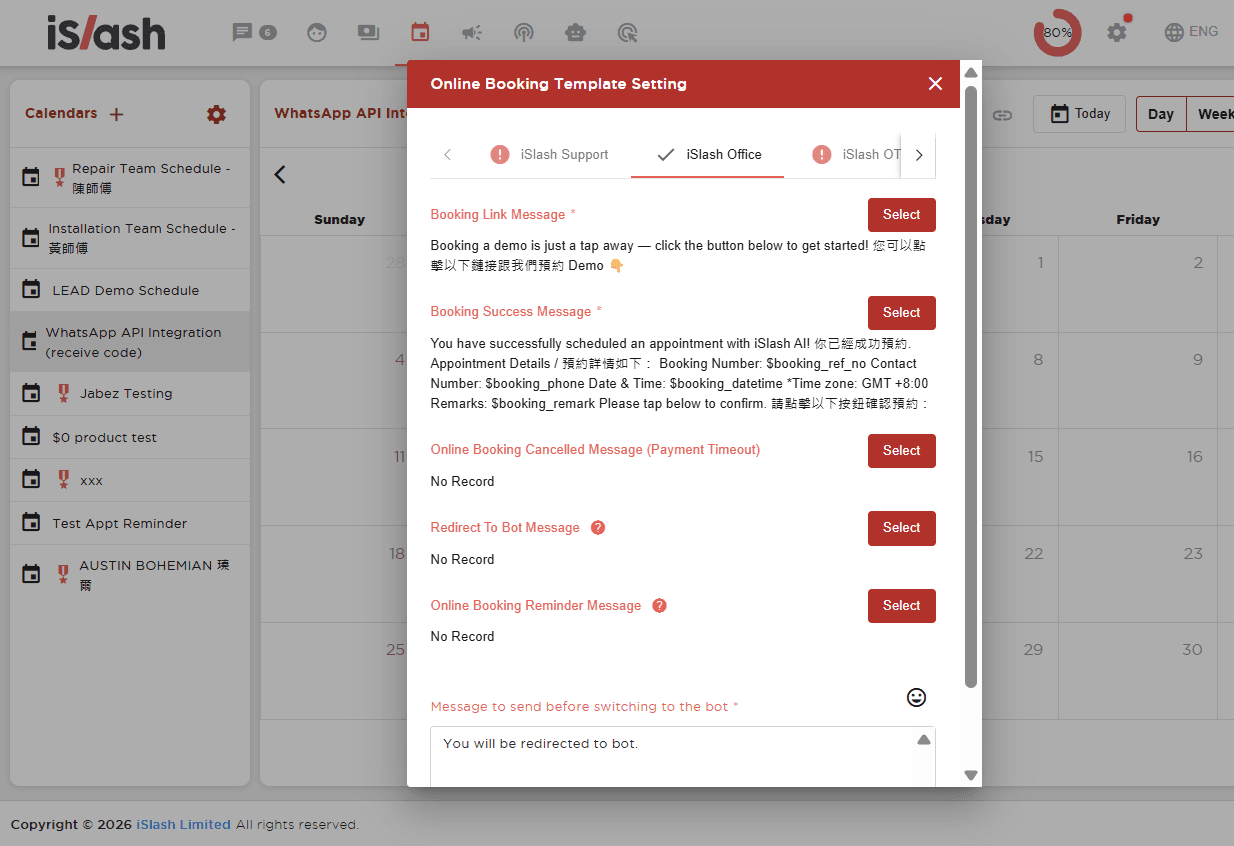
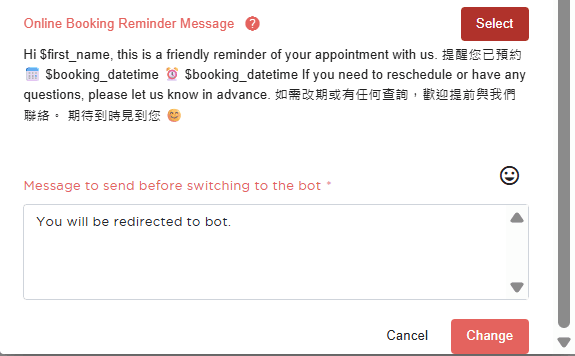
Go to the desired WhatsApp Channel, scroll down to find "Online Booking Reminder Message" and click "Select":
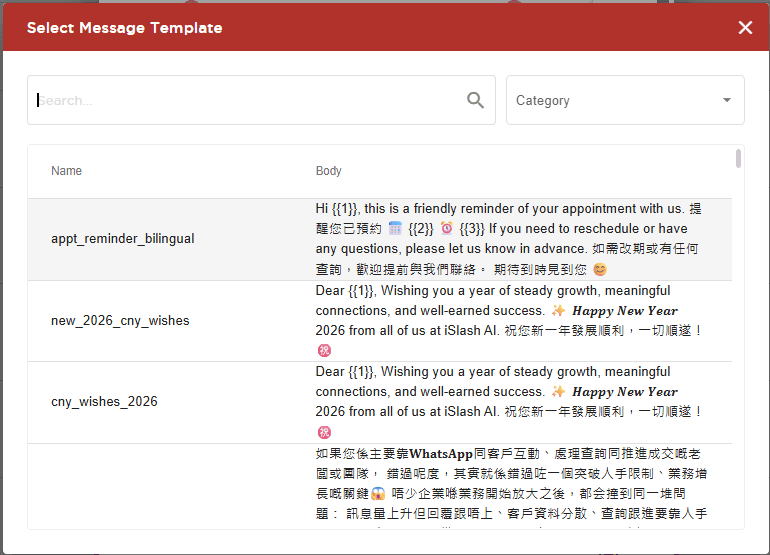
In this pop-up window, select the approved Message Template:
Proceed to set the variables:
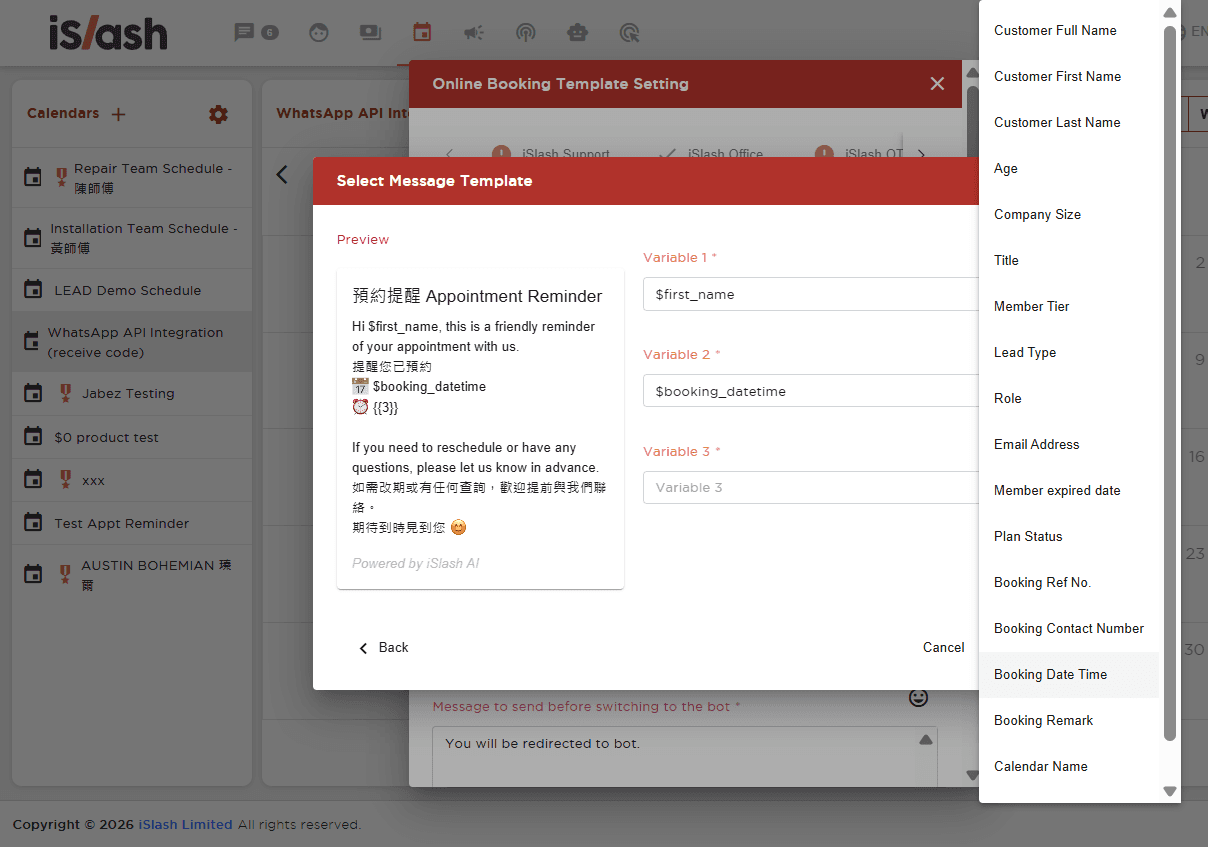
Once completed, click "Change" to save.
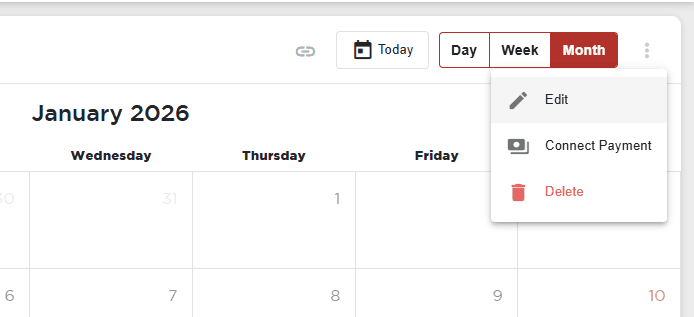
Next, at the top right corner, find the calendar menu and enter "Edit":
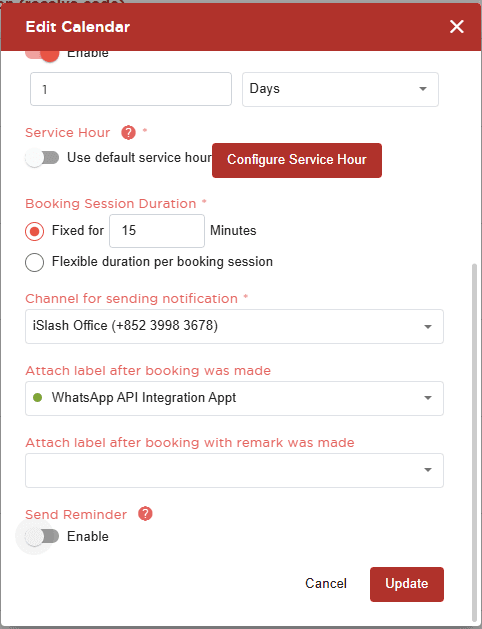
At the pop-up menu, scroll down to find "Send Reminder", toggle to enable.
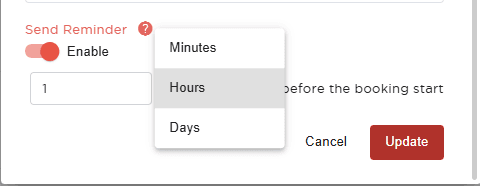
Proceed to set the desired time to send reminder and click "Update".
Insights


