In-App Calendars: Product-Driven Booking
Last update:
Product-Driven Booking lets you connect appointments directly to specific products or services, so customers aren’t just booking time, they’re booking with intent.
Instead of managing a generic calendar, each booking is tied to a defined offering. Customers book via a dedicated URL, receive instant confirmation through WhatsApp, and businesses gain clearer visibility into demand, capacity, and revenue-generating services.
Designed for teams that want structure, clarity, and scale, Product-Driven Booking transforms scheduling into a conversion-ready system; perfect for service-based businesses managing multiple offerings, specialists, or simultaneous bookings.
Setup Conditions
An existing In-App Calendar.
For user guide to setup In-App Calendar, please visit this link.Products being created in iSlash AI Platform.
Assign different product listings to each calendar
Set notice periods per appointment type to control how far in advance customers can book
Perfect for planning and managing availability.
Step-by-step Guide
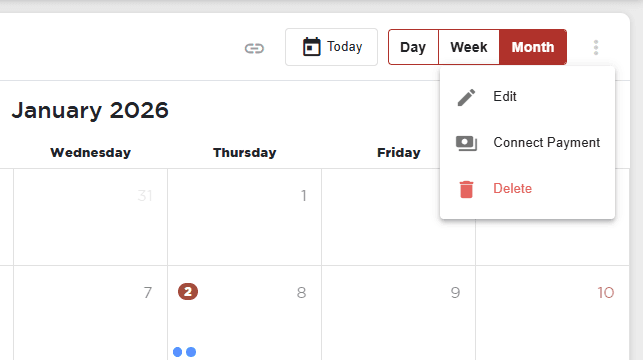
At the top right corner, find the calendar menu and enter "Connect Payment":
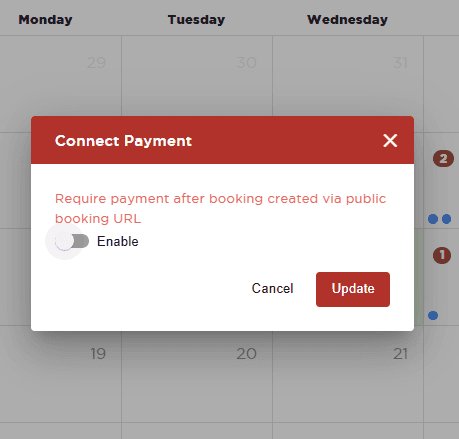
At the pop-up window, toggle to enable payment.
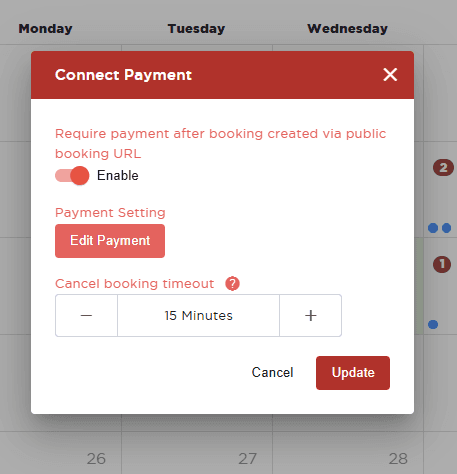
Click "Edit Payment":
In the "Select Booking Product" window, find the product to add and update the "Max Quantity" to the desired max quantity; proceed to complete other settings then click "Create" to save:
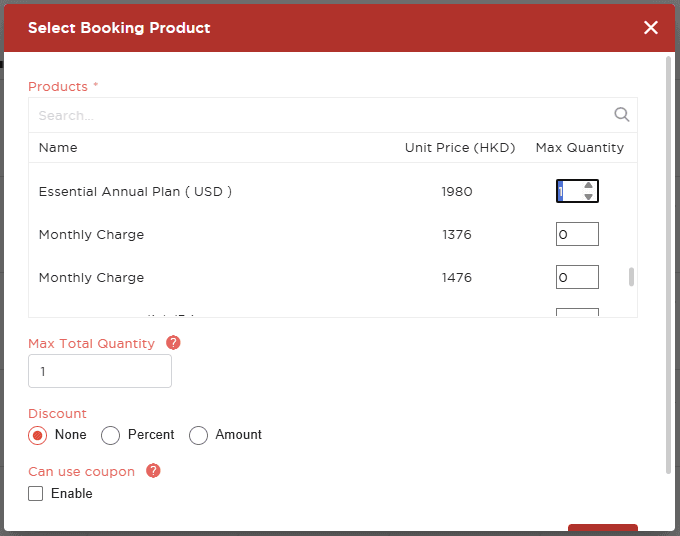
Max Total Quantity
Discount : None | Percent | Amount
Can use coupon : Enable | Disable
Then, adjust the "Cancel Booking Time": the offer will be cancelled if user did not pay in the specified period of time:
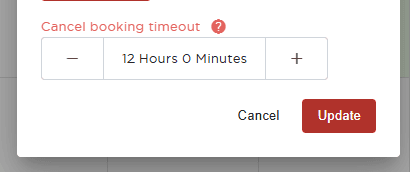
Click "Update" to save.
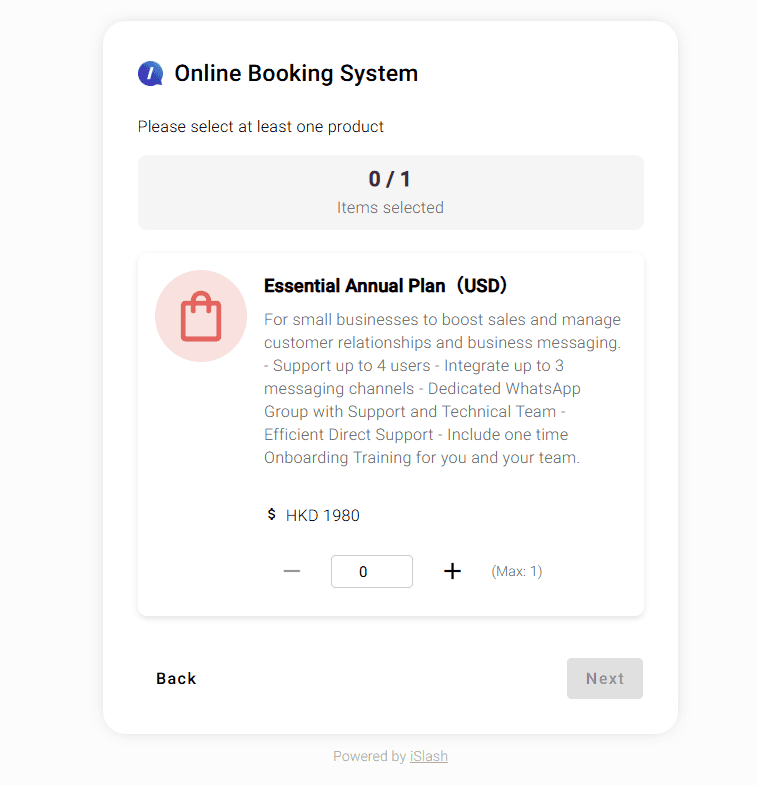
The product will be shown after user has selected the booking date and time:
Insights


