Claiming Your WhatsApp Username & Navigating BSUIDs
Lock Down Your Handle, Upgrade Your Data
If you rely on WhatsApp for conversion strategies and lead generation, there is a massive shift happening under the hood this year. By June 2026, Meta is rolling out WhatsApp Usernames globally.
Here is what you need to know:
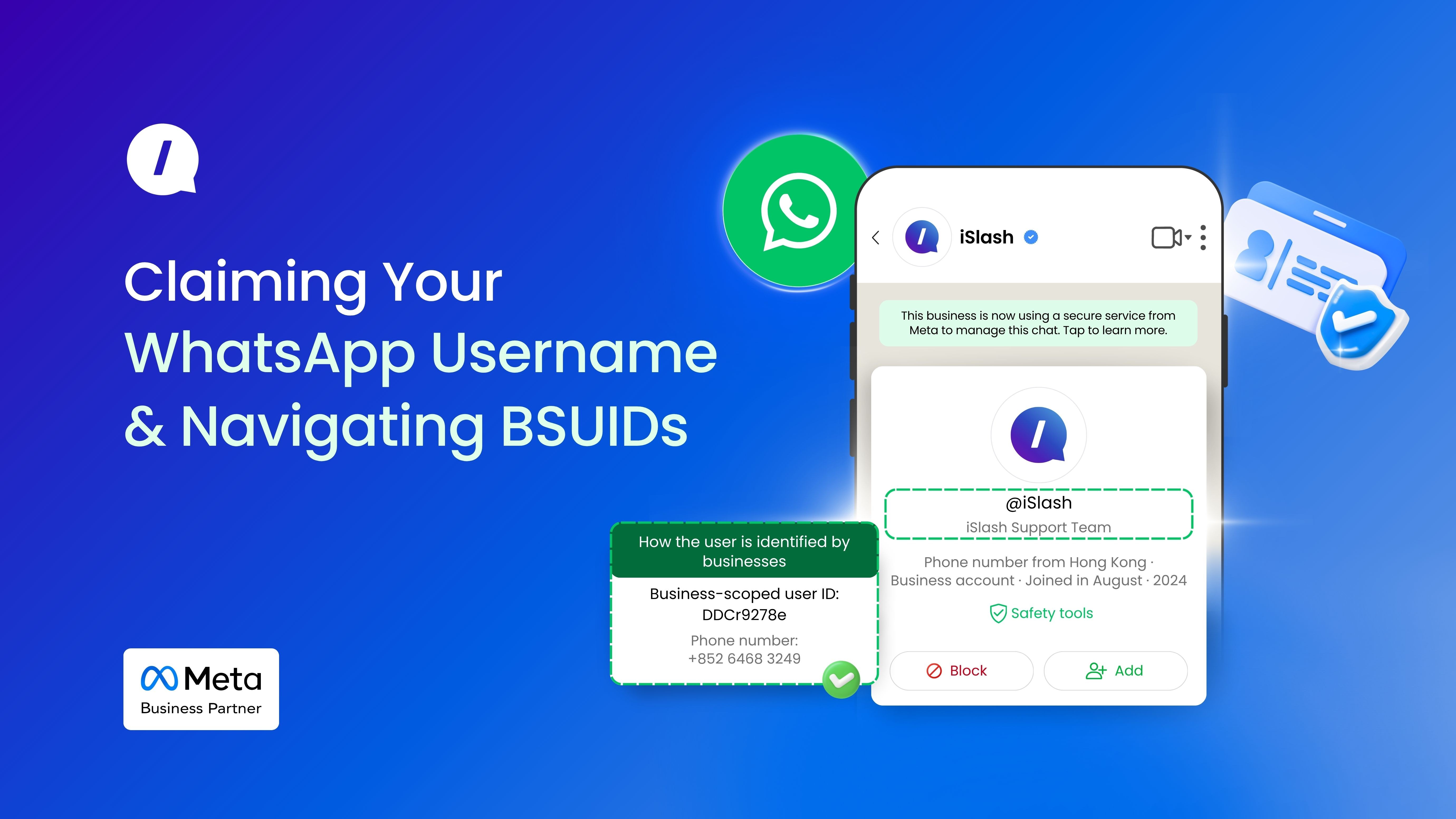
Messaging Your Business Using A Unique Handle (e.g., @iSlash)
Soon, people will be able to message your business using a unique handle (e.g., @yourbrand) instead of needing your phone number.
Just like an Instagram handle, these Usernames are globally unique. Once a name is taken, it is gone. If you want your exact brand name, you need to be ready to claim it as soon as the window opens.
The Verification Advantage
If your business has an Official Business Account (OBA) or carries the Meta Verified blue badge, you are in a great position. Meta is automatically reserving Usernames for verified businesses based on their existing display names or Facebook/Instagram handles.
If you are not verified yet, prioritizing that status now could save your brand name from being scooped up by someone else.
Meet the New Identifier: Business-Scoped User ID (BSUID)
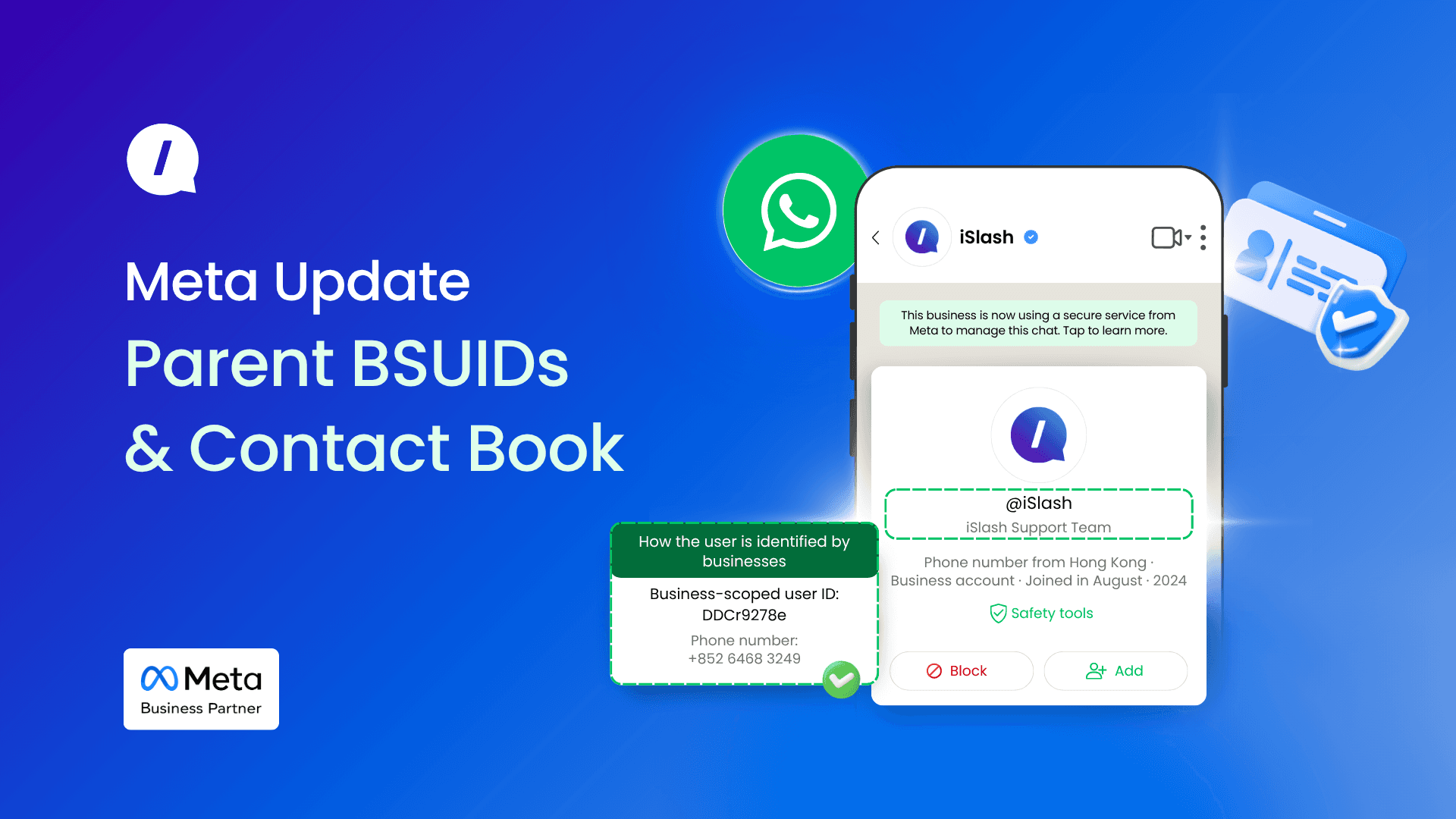
While the Username is the public face of this update, there is a massive backend change you need to prepare for: the Business-Scoped User ID (BSUID).
When a prospect uses their new Username to enter your WhatsApp funnel, they have the option to hide their personal phone number.
If your current marketing automation, webhooks, or CRM systems rely strictly on phone numbers to identify leads and trigger retargeting flows, those systems are going to hit a wall. Instead of a phone number, Meta will start passing the BSUID to your systems.
What is Business-Scoped User ID (BSUID)?
The BSUID is a long, unique alphanumeric string generated specifically for the relationship between that user and your business.Do I need to do any setup?
BSUIDs are generated automatically by Meta. Your team does not need to write code or build scripts to create them.
What are the Communication Rules?
BSUIDs are bound to a single business portfolio within Meta Business Suite.
Any business phone number inside a specific portfolio can message a BSUID tied to that portfolio. However, if you try to use a phone number from a different portfolio to message that same BSUID, the message will fail.
Merging Identifiers: The Phone Number Comes First
As your team transitions your database from phone numbers to BSUIDs, you will likely have profiles that contain both identifiers.
When setting up your automated messaging or broadcast via WhatsApp, Meta allows you to include both user's phone number (the legacy identifier) and BSUID (the new identifier).
If your system sends both, the phone number takes absolute precedence. The system will route the message using the phone number and ignore the BSUID for that specific send.
Lock Down Your Handle, Audit Your Platform
The transition away from phone-number-only tracking is inevitable. To ensure your social commerce logic does not break when privacy settings shift, you need to execute on two fronts:
Secure your brand: Initiate the verification process now to automatically reserve your Username, or prepare to claim it the moment the registry opens.
Audit your system: Verify with your system provider that your automated flows and routing rules are ready to ingest and log BSUIDs natively.
When phone numbers start disappearing from your incoming chats, your infrastructure must be ready to read the new identifier without dropping a single lead.
In our next related article, we will be discussing Parent BSUID Account and Contact Book.
For latest updates, please refer to Meta's Developers Docs on Business-scoped user IDs.