💳
By linking your Facebook Page to iSlash, you can boost your organic reach, optimize conversions with the Conversions API (CAPI), and access the Facebook Messenger in the Team Message Inbox for seamless customer interactions.
Setup Requirements:
You must be the page admin/owner. You can check your role here.
Accept the permission required by iSlash to connect to your page and inbox, following the steps below.
Tutorial Video
Step-by-Step Guide
Logon to iSlash AI Platform at https://app.islash.io/
Go to Settings:
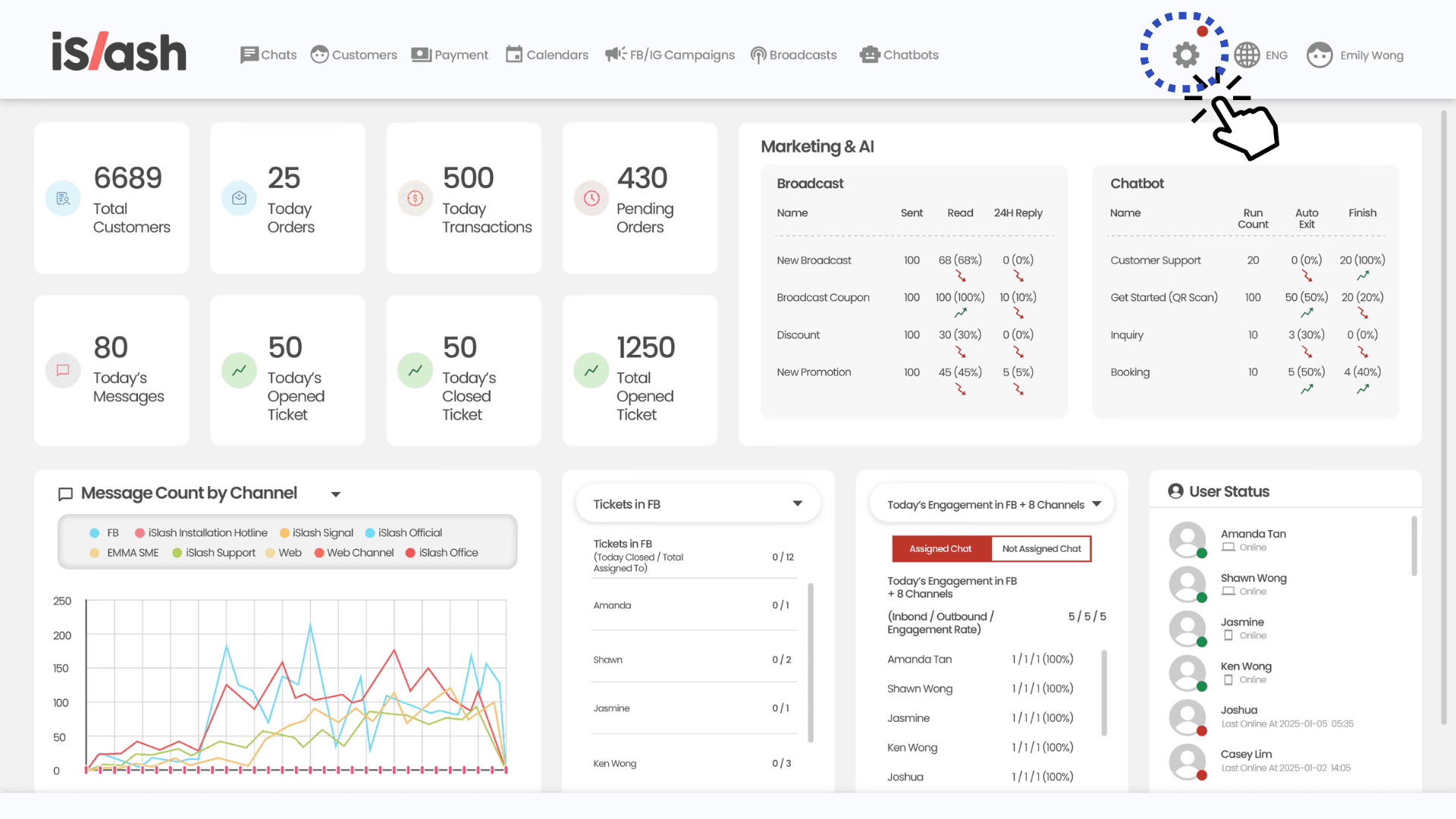
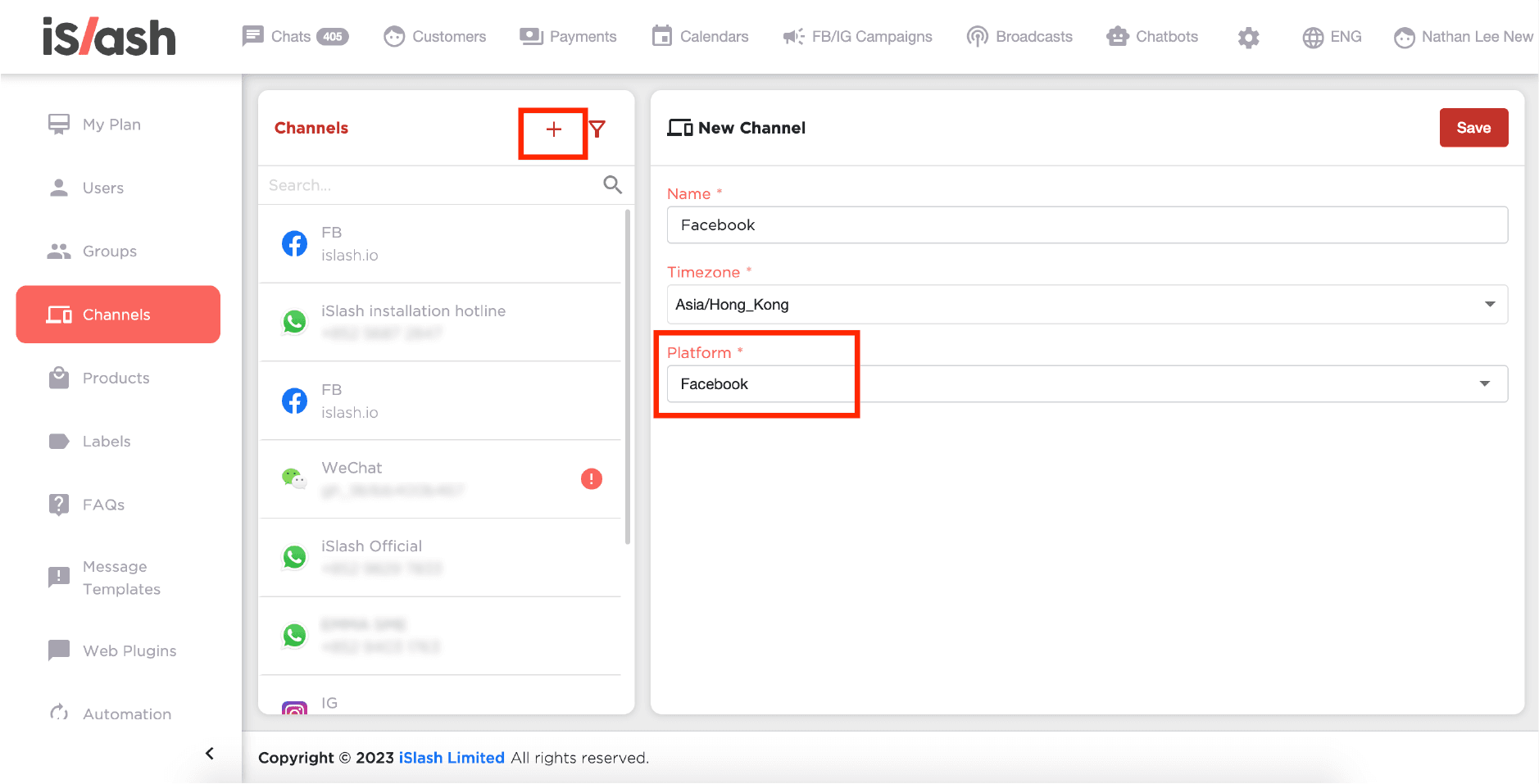
Go to Channels and Click on "+" to create a new channel.
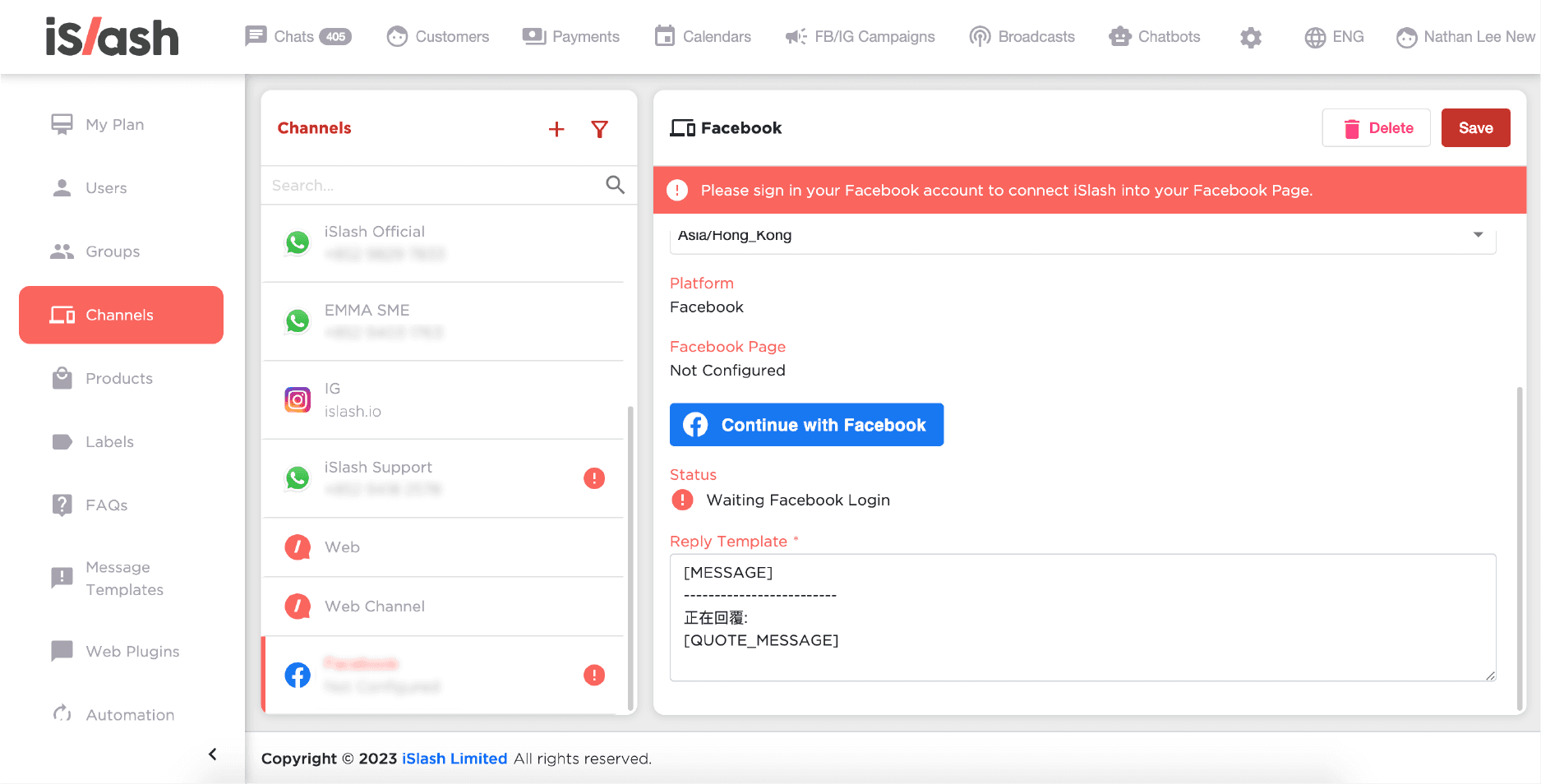
Rename to "Facebook", then under the Platform section, select "Facebook" and click Save.
Click Continue with Facebook and complete the steps.
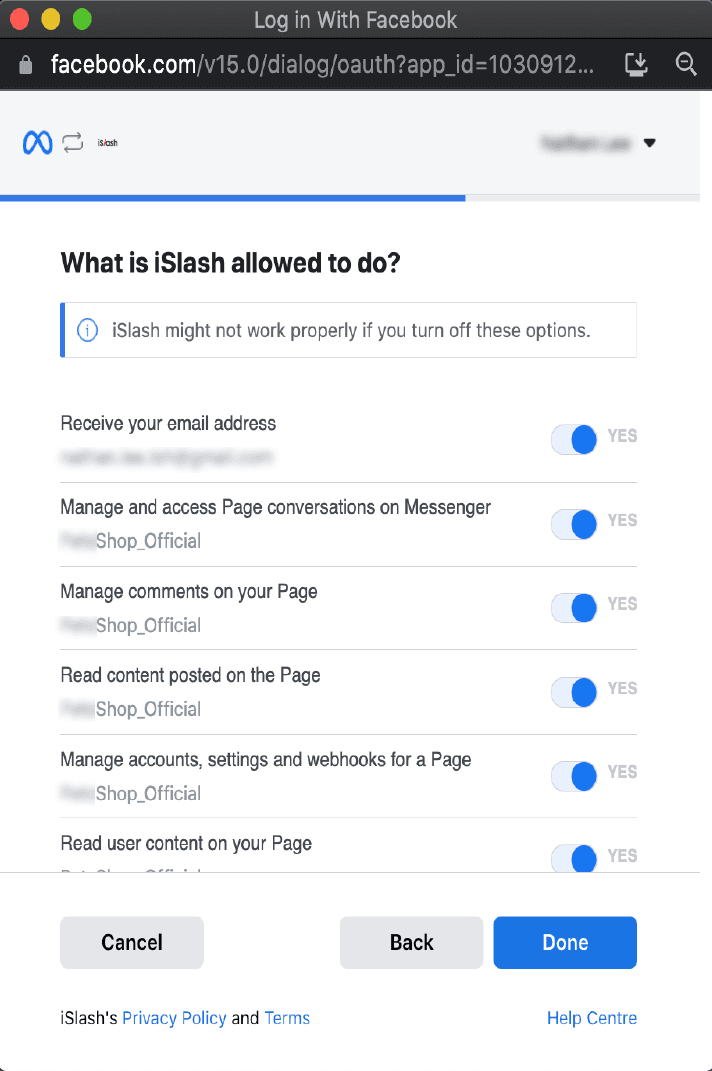
An external window by Meta will pop up. You will either be required to log in to your Facebook account, or simply click “Continue as [Your Facebook Name]”.
Grant permission to iSlash AI Platform by clicking “Done”.
Private Replies and Schedule Message Limitations
Only one message can be sent to the person who
commented on your business' Facebook Page
commented on a post or comment on the business' Facebook Page or Group.
The message must be sent within 7 days from when the post or comment was created
Only when a person responds to the private message can you continue the conversation within the 24-hour messaging window.
Facebook and Instagram Organic Reach Hack
Set up your FB/IG Campaign on iSlash AI Platform now!